Statement imports with a preview
Upload CSV or text-based PDF statements. Every row is parsed into a preview, and nothing is saved until you confirm.
Personal finance, without bank connections
Mintique imports bank and credit card statements, checks balances against them, and keeps every transaction linked to the document it came from. You never share a bank login.
Features
Import, review and organize your finances without giving an app access to your bank.
Upload CSV or text-based PDF statements. Every row is parsed into a preview, and nothing is saved until you confirm.
Re-uploading the same file is detected. Transactions that look like repeats are flagged so you can decide what to import.
Compare opening and closing balances against your imported transactions. A mismatch is shown before you import.
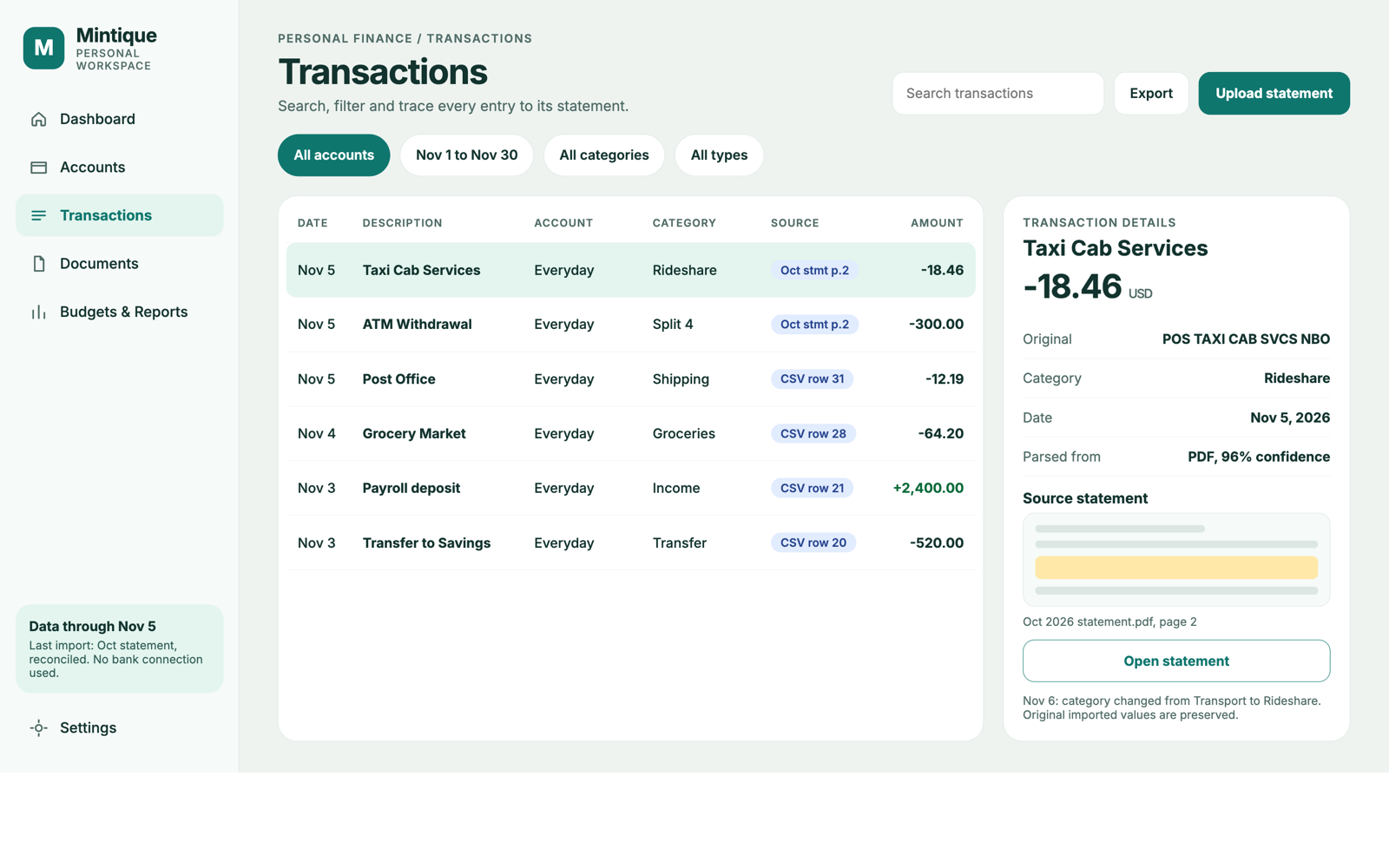
Each transaction keeps its original description and amount, and links to the statement it came from.
Set a budget per category for each month. See income against expenses and where your spending goes.
Statements are stored privately behind expiring download links. Export your transactions and account data at any time.
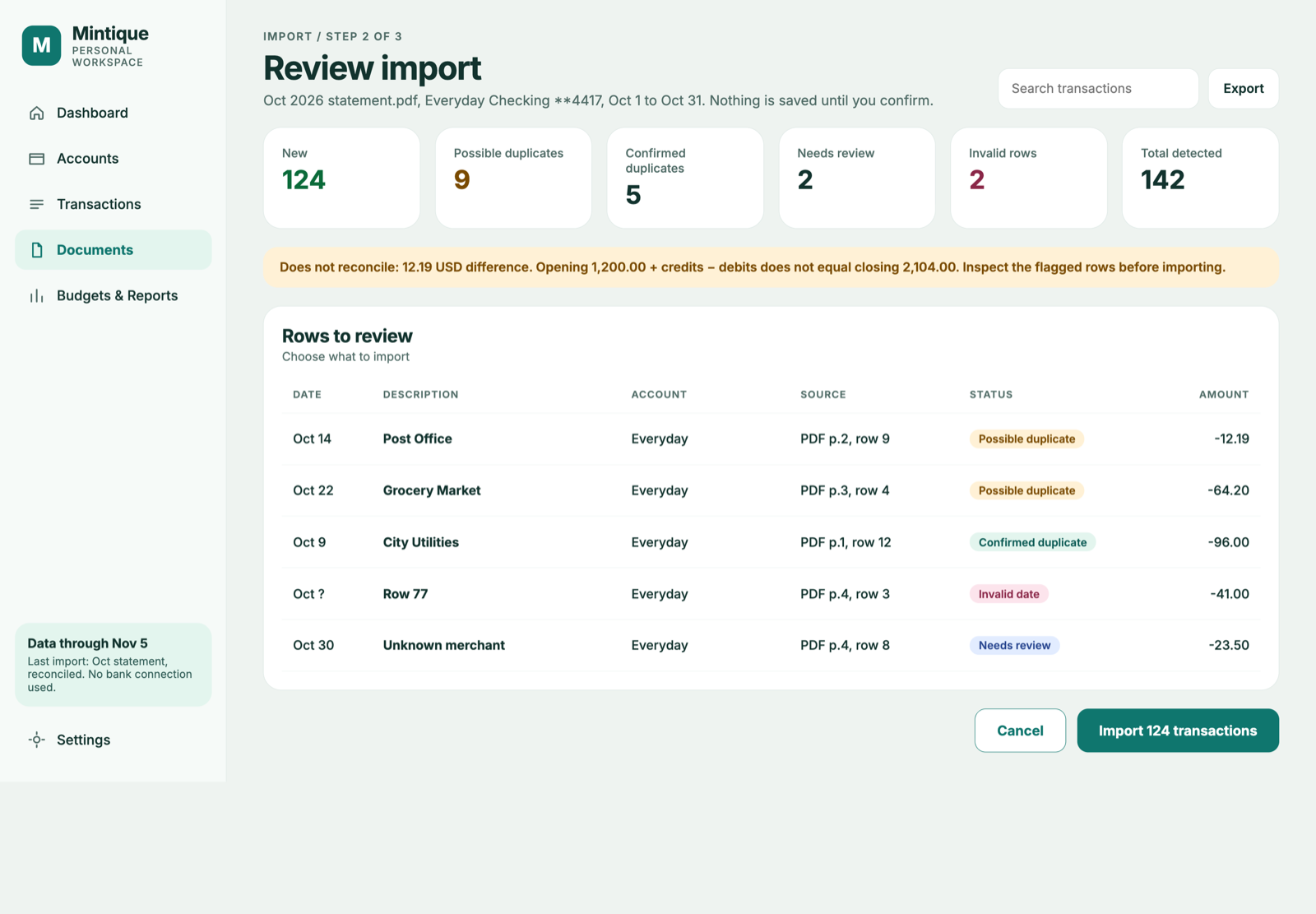
Import review
Mintique shows what it found in the statement first. You decide which rows to bring in.
Transactions
Search and filter everything in one list. Open any transaction to see where it came from and how it has changed.
Spending insights
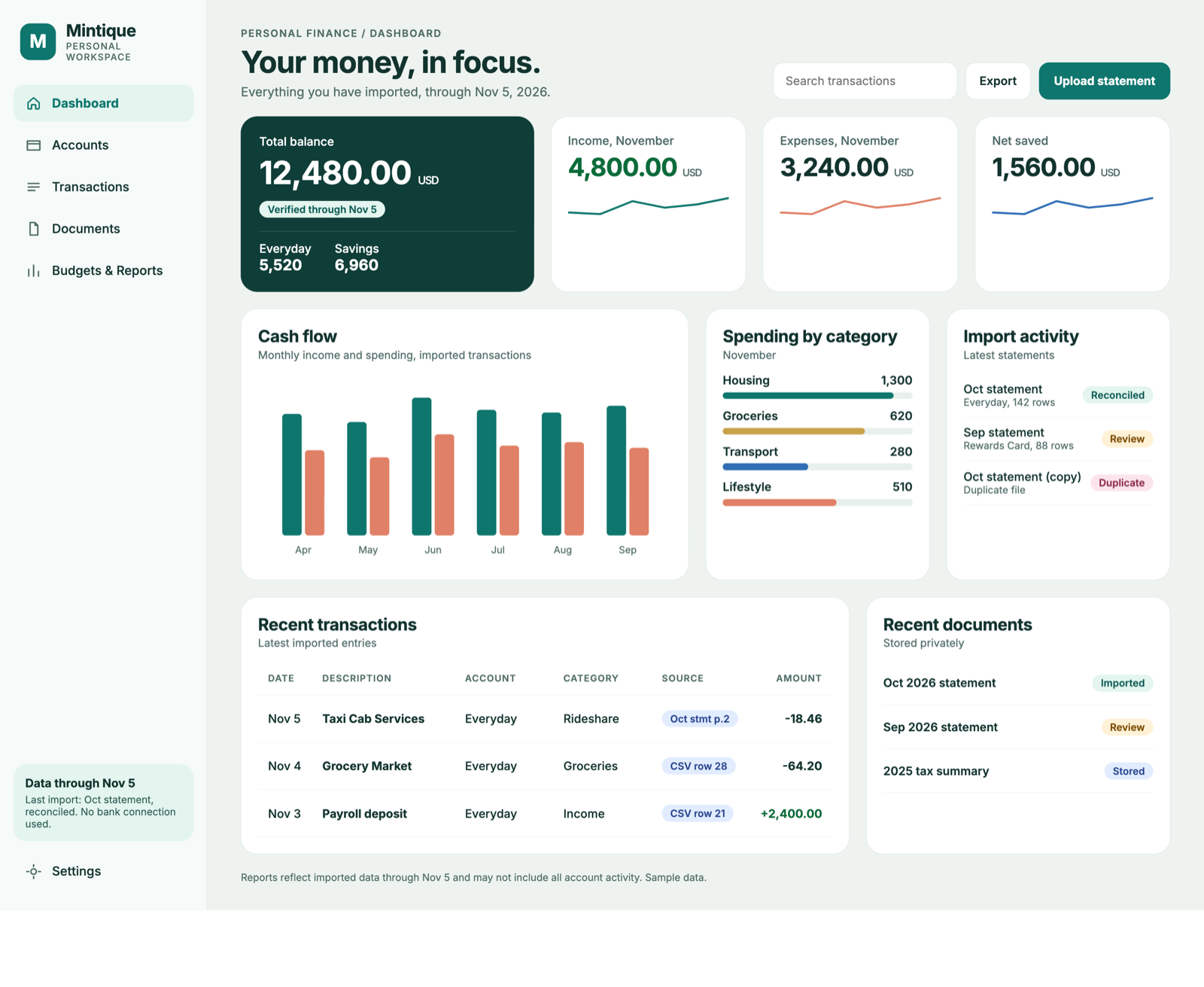
Bring your accounts into one view. See what came in, what went out, and where your spending is going.
Private document archive
Keep your financial paperwork alongside your money. Find the original statement whenever you need to check a detail.
Your statements. Your paper trail.
How it works
Add checking, savings, credit card or loan accounts by hand. Account numbers are optional.
Drop in a CSV or a text-based PDF. Mintique suggests the matching account, and you confirm it.
See duplicates and flagged rows in a preview. Nothing is saved until you confirm the import.
No. Mintique works from statements you upload. It never asks for bank credentials and does not depend on a bank aggregator.
CSV files and text-based PDF statements. Scanned PDFs without a text layer are not supported yet, and you can always add accounts and transactions by hand.
Mintique detects the duplicate file. Transactions that already exist are flagged in the preview so you can exclude them before anything is saved.
Yes. You can export transactions as CSV, export account and document metadata, and download your uploaded statements. Export does not require a paid plan.
Yes. Deleting your account removes your user, workspace, files and audit logs. The deletion is immediate and complete.
No. Financial data is not sold, rented, used for advertising, or used to train AI models. It is only processed to run the app, keep it secure, and support you.
Yes. Mintique can be self-hosted with Docker and PostgreSQL, using the same features as the hosted app. See the self-hosting guide.
Start with the statements you already download. Mintique keeps the records in one private place.